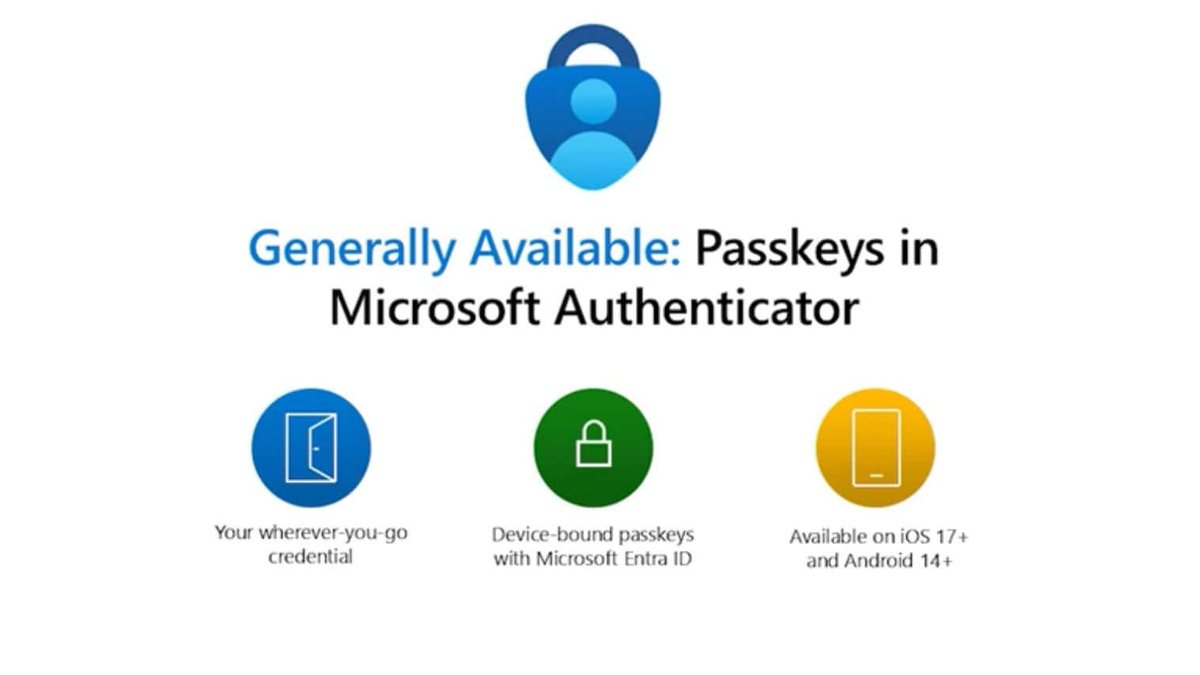
The digital world is a minefield, and your traditional password, bless its heart, is often little more than a flimsy fence around a treasure chest. Cyberattacks are no longer a distant threat; they're a daily reality for businesses and individuals alike. This constant barrage has made Autenticación Avanzada (MFA, Passkeys) not just a best practice, but an absolute necessity. It’s the evolution of how we prove we are who we say we are online, moving us from vulnerability to robust, user-friendly security.
At a Glance: Key Takeaways on Advanced Authentication & Passkeys
- Mandatory MFA is here to stay: Driven by regulations and relentless cyber threats, multi-factor authentication is no longer optional.
- Traditional MFA has significant drawbacks: Methods like SMS OTP create friction, pose recovery challenges, and are surprisingly vulnerable to sophisticated attacks.
- Passkeys are the game-changer: Built on strong cryptographic standards (WebAuthn/FIDO), passkeys offer superior security (phishing resistance), unmatched convenience (biometrics/PIN), and seamless recovery across devices.
- Beyond Passkeys: Advanced authentication also encompasses adaptive policies, device trust, and a broader move towards various passwordless options tailored to risk.
- Strategic adoption is key: Migrating to passkeys requires planning, a hybrid architecture, user education, and continuous monitoring to maximize benefits.
- Passkeys benefit everyone: From reducing IT support costs to enhancing user experience and bolstering overall security posture, passkeys transform a security mandate into a strategic advantage.
The Unavoidable Truth: Why Mandatory MFA is Here to Stay
Remember when "two-factor authentication" felt like an extra step, an optional security measure for the extra cautious? Those days are long gone. The relentless march of cybercrime, coupled with increasingly stringent regulations like PSD2 and SCA, has pushed Multi-Factor Authentication (MFA) from a "nice-to-have" to a global, mandatory requirement.
To truly understand this shift, let's quickly clarify the landscape:
- Single-Factor Authentication (SFA): This is your classic username and password combination. It relies on just one factor – something you know. Unfortunately, it’s highly vulnerable to breaches, phishing, and brute-force attacks.
- Two-Step Verification (2SV): Often confused with MFA, 2SV requires two "steps" but these might fall into the same category. For example, a password followed by a security question. While better than SFA, it's still weaker than true MFA.
- Multi-Factor Authentication (MFA): This is the security gold standard. It demands verification from at least two different categories of factors:
- Knowledge: Something you know (e.g., a password, PIN, security question).
- Possession: Something you have (e.g., a phone receiving an SMS code, a hardware security key, a smart card).
- Inherence: Something you are (e.g., a fingerprint, facial scan, voice recognition).
The mandate for MFA isn't just about ticking compliance boxes; it's about protecting sensitive data and mitigating the staggering financial and reputational damage of cyberattacks. But while mandatory MFA is essential, its implementation often brings a host of new, complex challenges.
The Hidden Pitfalls of "Mandatory MFA": A User's and Business's Nightmare
Implementing mandatory MFA on a large scale might sound straightforward, but real-world deployments have exposed significant pain points for both users and the organizations supporting them. These challenges often undermine the very security they aim to enhance, leading to what some call "compliance theater" rather than true protection.
Onboarding Obstacles: The First Hurdle for New Users
Imagine trying to sign up for a new service, only to be hit with a convoluted MFA setup process. A clunky user experience (UX) during onboarding can be a major commercial impediment, leading to high abandonment rates. Organizations face a dilemma:
- Forced Enrollment: Requiring MFA setup immediately upon registration, which can feel intrusive and frustrating for users eager to get started.
- Progressive Enrollment: Allowing users to bypass MFA initially but prompting them later. This delays friction but leaves accounts vulnerable in the interim.
Either way, clear instructions and a variety of easy-to-use methods are crucial to avoid alienating potential customers.
Account Recovery: The IT Support Black Hole
This is perhaps the single biggest operational challenge for businesses deploying MFA. When users get locked out – forgotten passwords, lost phones, or simply confusion – they turn to support. The costs associated with account recovery are astronomical, and the process itself can become a security weak point.
Common recovery methods and their inherent flaws include:
- Assisted by Support: Secure but incredibly expensive and time-consuming, requiring human interaction.
- Email/SMS: Cheap and common, but highly vulnerable. Email accounts can be compromised, and SMS is susceptible to "SIM-swapping" attacks, where attackers trick carriers into porting your phone number to their device.
- Pre-registered Backup Codes: Secure if stored properly, but many users lose them or never save them, adding friction.
- Selfie with ID Verification: High security, often used in banking, but raises privacy concerns and can be a slow process.
- Digital Wallets/Credentials: An emerging, portable option but still maturing in widespread adoption.
The sheer volume of recovery tickets can overwhelm IT helpdesks, turning them into prime targets for social engineering attacks where bad actors try to trick support staff into granting them access.
Device Lifecycle Woes: Losing Your Phone, Losing Your Access
What happens when a user gets a new phone? Or loses their current one? The device lifecycle poses a significant challenge for many MFA methods:
- SMS OTP: While portable (you get a new SIM, your number often follows), it remains vulnerable to SIM-swapping.
- TOTP Apps (e.g., Google Authenticator): If not backed up to the cloud (and many aren't by default), losing your device means losing access to your keys and codes, requiring a complete re-enrollment process.
- Push Notifications: Often require re-registration on a new device, adding another layer of hassle.
This friction leads to users being locked out, increasing frustration and support tickets.
The User Preference Paradox: Choosing Weakness Over Strength
Here's a stark reality: when given a choice, over 95% of users opt for familiar but less secure MFA methods, primarily SMS OTP. Why? Because it's easy and requires minimal effort. This creates a "compliance theater" where organizations implement MFA to meet requirements, but users gravitate towards methods that offer minimal resistance to sophisticated attacks. The ideal scenario, "system-preferred MFA," guides users toward stronger, more convenient options, but this isn't always the default.
The Operational Burden: Beyond Passwords, More Problems?
Mandatory MFA, while boosting security, also dramatically increases the operational load on IT departments. Already, 30-50% of support tickets are related to passwords. Adding MFA issues on top of that significantly escalates costs. Each lockout, each recovery request, each re-enrollment on a new device adds up, draining resources and diverting attention from strategic IT initiatives.
Key Lessons from Large-Scale MFA Deployments
Organizations that have tackled large-scale MFA rollouts have learned invaluable lessons:
- Initial Friction is Inevitable but Manageable: Expect some resistance, but you can smooth the path with good design and education.
- User Choice is a Double-Edged Sword: While empowering, it often leads users to choose less secure, more familiar options.
- Account Recovery Becomes the Achilles' Heel: It's where the most significant costs and security risks converge.
- Phased Deployments Reduce Risk: Rolling out MFA incrementally allows for learning and adjustment, minimizing disruption.
- A Centralized Identity Platform (IAM/SSO) is Key: This infrastructure simplifies management, improves consistency, and forms the bedrock for advanced authentication strategies.
Enter the Game Changer: How Passkeys Revolutionize Advanced Authentication
The challenges of mandatory MFA seem daunting, but there's a powerful solution emerging: passkeys. Built on the FIDO Alliance's WebAuthn standard, passkeys represent a fundamental shift in how we authenticate, effectively solving the paradox of balancing strong security with effortless user experience. Think of them as the next evolutionary step in your complete guide to passwords and authentication.
What are Passkeys?
At their core, passkeys are a credential based on public-key cryptography. Instead of a shared secret (like a password), passkeys involve a unique pair of cryptographic keys: a public key stored with the service you're logging into, and a private key stored securely on your device (e.g., your smartphone, computer, or a hardware security key). When you log in, your device uses its private key to sign a challenge from the service, proving your identity without ever sending a password or a secret to the server. This fundamental design offers unparalleled advantages.
Solving the MFA Challenges with Passkeys
Passkeys directly address the major pain points that plague traditional MFA implementations:
1. Simplified Account Recovery: No More Lockouts
One of the most revolutionary aspects of passkeys is how they handle account recovery. Passkeys are designed to sync securely across your devices within your platform ecosystem (e.g., iCloud Keychain for Apple devices, Google Password Manager for Android and Chrome).
This means:
- Automatic Backup: If you lose a device, your passkeys are automatically restored on your new device when you log into your platform account.
- Reduced Lockouts: This drastically lowers the number of users getting locked out and needing support-assisted recovery, cutting operational costs and reducing reliance on vulnerable recovery channels like SMS.
2. Seamless Device Transitions: Goodbye Re-Enrollment Hassle
Changing phones or setting up a new computer becomes a non-issue. Since passkeys are synced, there's no manual re-enrollment process for your authentication methods. You simply log into your platform account on the new device, and your passkeys are ready to use. This eliminates a huge source of user frustration and support tickets related to device lifecycle.
3. User Preference Aligned with Security: Convenience Meets Strength
This is where passkeys truly shine. They offer the most secure authentication method (public-key cryptography, resistant to phishing) and simultaneously provide the most convenient user experience. How? By leveraging simple biometric gestures (fingerprint, facial recognition) or a device PIN.
Instead of typing a password, then retrieving a code from another device, and entering it, you just:
- Click "Log in with passkey."
- Perform a quick biometric scan or enter your device PIN.
That's it. This eliminates the "User Preference Paradox" by making the most secure option also the easiest.
4. Phishing Resistance by Design: The Ultimate Protection
Passkeys are inherently resistant to phishing attacks. Here’s why:
- Origin Binding: Each passkey is cryptographically bound to the specific website or application it was created for (its "origin"). If an attacker creates a fake website (a phishing site), your passkey will refuse to authenticate because the origin doesn't match.
- No Shared Secrets: Unlike passwords or OTPs that can be intercepted or reused, the private key of a passkey never leaves your device and is never transmitted over the network. This makes it impossible for an attacker to steal a passkey through traditional phishing tactics.
5. Eliminating MFA Fatigue: One Action, Many Factors
With passkeys, a single, familiar action—like a biometric scan or entering your device PIN—can simultaneously satisfy multiple factors of authentication. The act of using your device (something you have) combined with your biometric or PIN (something you are or know) inherently fulfills the requirements of MFA without adding any extra steps. It's multi-factor authentication without the "multi-step" feeling.
Beyond Passwords: The Broader Landscape of Advanced Authentication
While passkeys are a monumental leap forward, they are part of a larger, evolving ecosystem of advanced authentication. Organizations like OneIdentity are pushing the boundaries further, focusing on robust, adaptable methods that strengthen endpoint and application defenses beyond just login.
Adaptive Authentication: Context is King
Advanced authentication isn't just about what factors you use, but when and how you use them. Adaptive authentication dynamically adjusts the level of security based on real-time risk factors.
This includes:
- Risk-Based Policies: If a user logs in from an unfamiliar location, on an unregistered device, or at an unusual time, the system can automatically request a stronger authentication method.
- Device Trust: Authenticating the device itself becomes critical. Is it a known, corporate-approved device? Is its security posture healthy? This "device-level MFA" ensures that only authorized users on trusted devices can access resources, even supporting multiple users on a single endpoint.
- Real-time Monitoring: Integrating with Security Information and Event Management (SIEM) systems allows organizations to transmit login events in real-time, enabling immediate detection of suspicious activity.
The Full Spectrum of Passwordless Options
Passkeys are a leading component of the passwordless future, but the vision extends to other powerful methods that eliminate traditional passwords altogether:
- Biometrics: Fingerprints, facial recognition, and voice biometrics offer both strong security and ease of use.
- Physical Security Keys: Hardware tokens (like YubiKeys) provide a highly secure, phishing-resistant form of possession factor.
- Push Notifications: While they have some limitations, push notifications to a verified mobile app can be a convenient and more secure alternative to SMS OTPs, especially when combined with transaction details for user confirmation.
The goal is to eliminate the risks associated with passwords – the most common attack vector – and provide users with a consistent, frictionless experience across all their devices and applications.
Compliance and Auditing Simplified
With robust logging of authentication events and adaptive policies, advanced authentication solutions also streamline compliance with regulatory requirements like GDPR. They provide granular control and clear audit trails, making it easier to demonstrate adherence to security standards.
Strategic Playbook: Migrating to Mandatory Passkeys
The transition to mandatory passkeys isn't just a technical upgrade; it's a strategic organizational shift. A well-planned, user-centric approach is essential to harness their full potential.
Step 1: Assess Your Digital Ecosystem's Passkey Readiness
Before you push passkeys, understand your audience. What operating systems, browsers, and devices do your users primarily employ?
- Compatibility Audit: Analyze your user base's tech stack. Are they on platforms that support WebAuthn and passkey synchronization (e.g., iOS 16+, Android 9+, macOS Ventura+, Windows 10/11 with specific browsers)?
- Utilize Readiness Tools: Leverage tools like "Passkey Analyzers" to get real-time data on your user base's compatibility with platform authenticators and the overall user experience they're likely to encounter. This data will inform your rollout strategy and identify potential gaps.
Step 2: Design a Resilient Hybrid Authentication Architecture
A full, immediate switch to passkeys isn't feasible for everyone. You need a strategy that promotes passkeys as primary while providing robust, secure fallback options.
- Passkeys as Primary: Configure your systems to prioritize passkeys for authentication wherever possible.
- Robust Fallbacks: For users on incompatible devices or those yet to register a passkey, avoid falling back to vulnerable methods like SMS OTP. Instead, opt for:
- Time-Sensitive One-Time Passcodes (TOTP) from an authenticator app: More secure than SMS.
- Magic Links/One-Time Links via verified email: Ensure the email account itself is secure and regularly verified.
- Integration Patterns:
- Identifier-First: A user enters their username/email, and the system intelligently determines the best authentication method available (preferably a passkey). This offers the best UX.
- Dedicated Passkey Button: Provides a clear, explicit option for users to authenticate with a passkey.
Step 3: Craft a User-Centric Education & Phased Rollout Plan
Adoption hinges on user understanding and acceptance. Don't just implement; educate.
- Empathetic Messaging: Focus on the benefits for the user: "Faster logins," "More secure," "No more forgotten passwords." Use the official FIDO icon to build recognition and trust. Frame it as simplifying their digital life, not adding another security burden.
- Phased Adoption Strategy:
- "Pull" Adoption (Optional): Introduce passkeys as an optional setting in user profiles, allowing early adopters to self-enroll.
- "Push" Adoption (Proactive): After a user logs in with a traditional password, proactively prompt them to create a passkey. Make it easy and quick.
- Onboarding Integration: Integrate passkey creation directly into the new user onboarding flow once a significant portion of your user base is compatible. This is the ultimate goal.
Step 4: Monitor, Measure, and Optimize for Success
Data is your friend. Continuously track key metrics to gauge success and identify areas for improvement.
- Adoption Metrics:
- Passkey Creation Rate: How many users are registering passkeys?
- Passkey Usage Rate: How often are users actually logging in with passkeys?
- Time to First Key Action: How quickly do users adopt and use passkeys after they're introduced?
- Business/Operational Metrics:
- Reduction in Support Tickets: Specifically, those related to password resets and account recovery.
- Reduction in SMS OTP Costs: For businesses relying heavily on SMS for authentication.
- Login Success Rate: Ensuring a smooth authentication experience.
- Decrease in Account Takeover Incidents: The ultimate measure of improved security.
By iterating on your strategy based on these metrics, you can ensure a successful and impactful transition.
Passkeys vs. Traditional MFA: A Head-to-Head Comparison
To underscore the transformative power of passkeys, let's look at how they stack up against common traditional MFA methods:
| Feature | SMS OTP (Traditional MFA) | TOTP App (Traditional MFA) | Push Notification (Traditional MFA) | Passkeys (Advanced Authentication) |
|---|---|---|---|---|
| Phishing Resistance | Low (vulnerable to SIM-swapping) | Moderate (if not phishing-resistant) | Moderate (if not phishing-resistant) | Very High (by design) |
| User Friction | High (wait for SMS, copy/paste) | High (open app, type code) | Moderate (context switching) | Very Low (biometric/PIN) |
| Account Recovery | High Complexity (SIM-swapping, support) | High Complexity (lose keys, re-enroll) | High Complexity (device re-enroll) | Very Low Complexity (syncs automatically) |
| Portability (New Device) | Low (vulnerable to SIM-swapping) | Low (keys lost without cloud backup) | Low (requires re-enrollment) | Very High (syncs via platform) |
| Operational Cost | High (SMS costs, support tickets) | High (support tickets) | High (support tickets) | Very Low (drastic reduction in lockouts) |
| This comparison clearly illustrates why passkeys are not just an improvement, but a paradigm shift in advanced authentication. |
Addressing Key Stakeholder Concerns
The benefits of passkeys resonate across various organizational roles, transforming what was once a security burden into a strategic advantage:
- For Product Managers: Passkeys drastically reduce user friction during onboarding and daily logins, improving conversion rates and user retention. They solve the "abandonment problem."
- For CTOs (Chief Technology Officers): Passkeys reduce operational costs by cutting down helpdesk tickets related to account recovery and device changes. They simplify identity infrastructure, moving away from fragmented MFA solutions.
- For CISOs (Chief Information Security Officers): Passkeys offer superior phishing resistance, addressing the #1 attack vector. They provide strong cryptographic security without compromising user experience, boosting overall security posture.
- For Project Managers: Passkeys streamline deployment complexity due to their standardized nature and platform integration, reducing project risk and increasing the likelihood of successful user adoption.
The Future is Passwordless: Making Advanced Authentication Your Competitive Edge
The era of the simple password is ending, and with it, many of the vulnerabilities that have plagued our digital lives. Autenticación Avanzada (MFA, Passkeys) isn't just about adding more security; it's about fundamentally rethinking how users interact with your services, making security invisible, seamless, and unbreakable.
Embracing passkeys and the broader scope of advanced authentication allows you to transform what was once a mandatory security hurdle into a durable competitive advantage. You're not just protecting your users and your business; you're building trust, enhancing user experience, and future-proofing your digital identity strategy. The time to move beyond the password paradigm is now.